Updates and Releases
The KubeStellar Console follows a regular release schedule with two update channels.
Release Channels
Stable (Weekly)
The stable channel receives tested releases every week:
- Version format:
v0.x.y-weekly.YYYYMMDD - Release day: Every Monday
- Recommended for: Production environments
Weekly releases include:
- Bug fixes from the previous week
- Performance improvements
- Security patches
- Tested new features
Nightly
The nightly channel provides the latest development builds:
- Version format:
v0.x.y-nightly.YYYYMMDD - Release frequency: Daily at midnight UTC
- Recommended for: Testing and development
Nightly releases include:
- Latest features and improvements
- Experimental functionality
- May contain bugs or incomplete features
Developer
The developer channel tracks the main branch by commit SHA:
- Version format: Tracks latest commit SHA on
main - Release frequency: Every commit to main
- Recommended for: Console developers and contributors
Developer channel features:
- Environment prerequisites checklist (kc-agent, coding agent, OAuth, install mode, git status)
- Collapsible list of recent commits between your build and latest
mainHEAD - Commit list items link to their GitHub PRs
- 2-step manual update instructions (Pull & Build, then Restart)
Auto-Update System
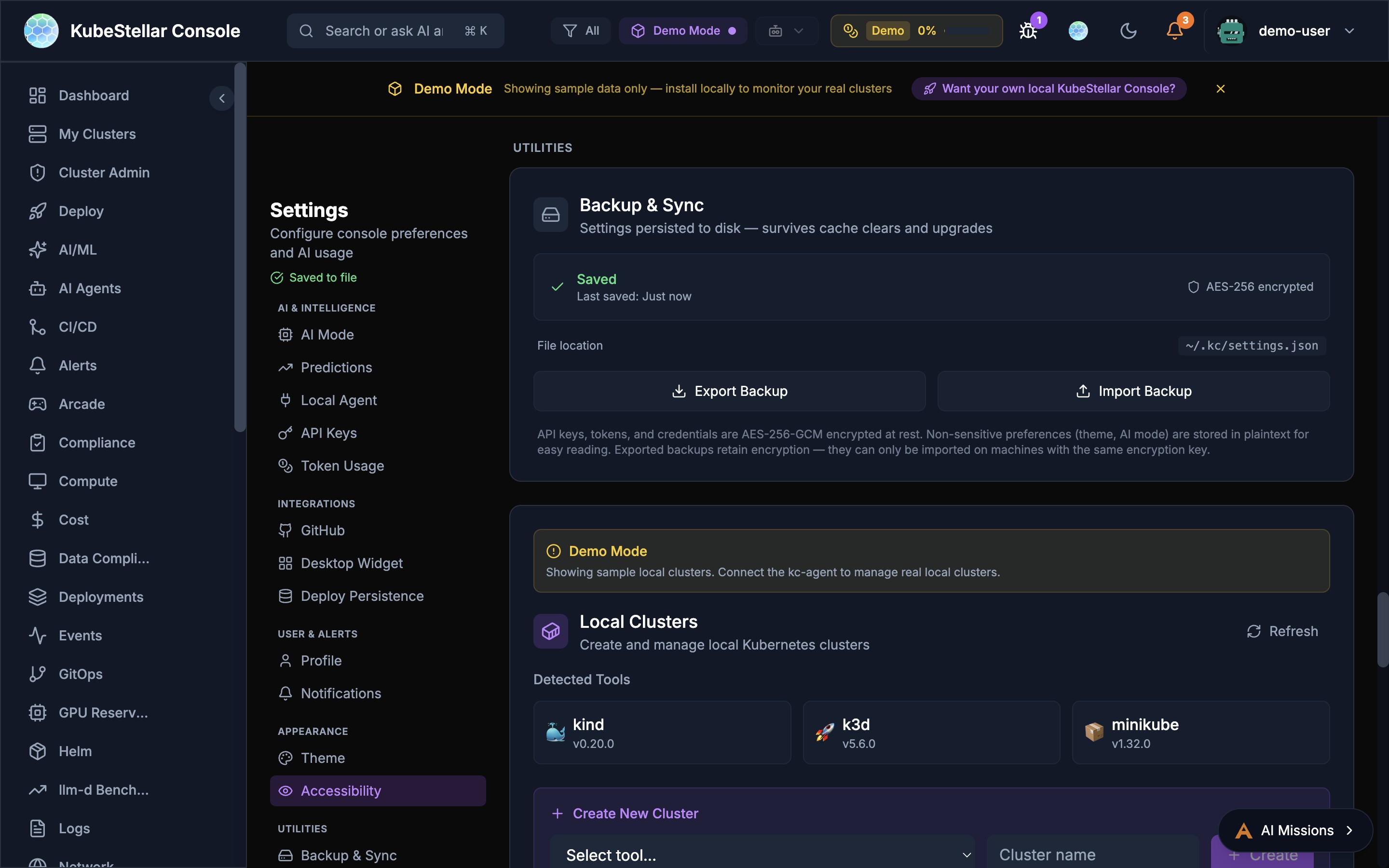
The console includes a built-in auto-update system:
- Automatic Updates toggle: Enable/disable in Settings > System Updates
- Update Now button: Manually trigger an update check and apply
- Real-time progress: WebSocket-powered progress banner during updates
- Safety features:
- Uncommitted changes detection before updating
- Health check after restart with configurable timeout
- Automatic rollback on failure
- Graceful shutdown of running processes before update
- Progress reporting via WebSocket with percentage steps
- Resilience (New in March 2026):
- Retry logic with exponential backoff for git pull and build steps
- Process cleanup ensures no orphan Go or npm processes after update
- Health check verifies the backend responds on the expected port before declaring success
- Detailed error messages when updates fail, with instructions to recover manually
- Install method detection:
dev(source),binary(downloaded),helm(in-cluster — auto-update disabled)
kc-agent Self-Update
The local agent (kc-agent) can self-update:
- Pulls latest source from GitHub
- Rebuilds itself
exec()s into the new binary seamlessly- No manual restart required
Checking for Updates
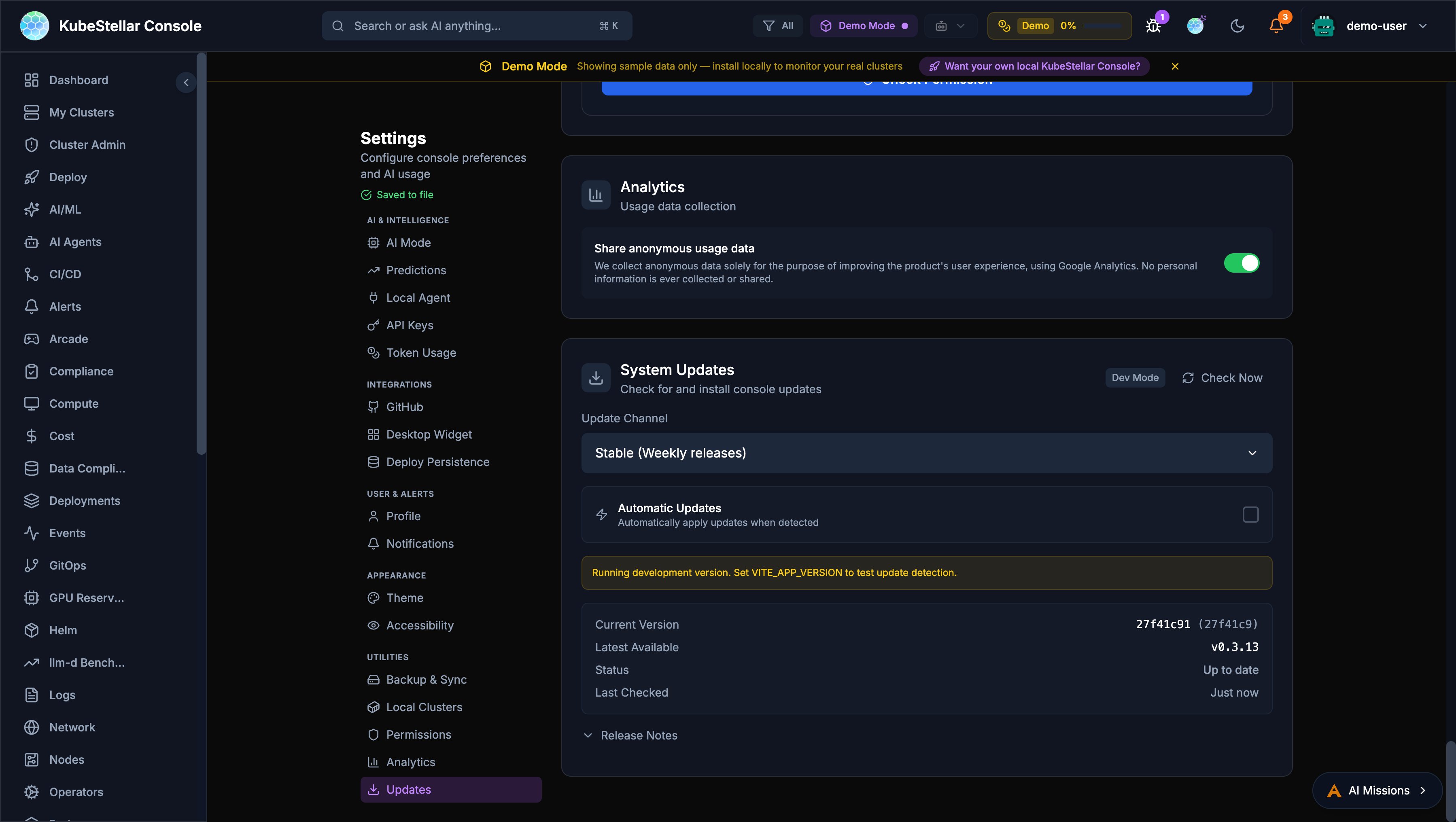
From the Settings Page
- Navigate to Settings in the sidebar
- Scroll to the System Updates section
- View current version and latest available
- Click Check Now to manually check for updates
The settings page displays:
- Update Channel: Current release channel
- Current Version: Installed version with commit hash
- Latest Available: Newest version in your channel
- Status: Whether you’re up to date
- Last Checked: When updates were last checked
Automatic Checks
The console automatically checks for updates:
- On startup
- Every 6 hours while running
- When switching release channels
Switching Channels
To switch between stable and nightly:
- Go to Settings > System Updates
- Click the Update Channel button
- Select your preferred channel
- The console will check for the latest version in that channel
Note: Switching from stable to nightly may introduce newer (potentially unstable) features. Switching from nightly to stable may require waiting for the next weekly release.
Version Information
The version is displayed in multiple locations:
- Settings page: Full version with commit hash
- Footer: Abbreviated version
- About dialog: Complete version details
Example version: v0.3.6-nightly.20260127 (71e4039)
v0.3.6: Semantic versionnightly: Release channel20260127: Release date (January 27, 2026)71e4039: Git commit hash
Update Notifications
When a new version is available:
- A notification badge appears in the header
- The settings page shows “Update Available”
- Release notes are displayed for major changes
Manual Installation
To manually update or install a specific version:
Using npm
Quick Start (Frontend)
# Clone the repository
git clone https://github.com/kubestellar/console.git
cd console/web

# Install dependencies
npm install

# Start in development mode
npm run dev -- --port 5174Note: This starts the frontend. For full functionality, you also need to run the backend (see below).
Complete Setup (Frontend + Backend + Agent)
Terminal 1 - Backend API Server:
# From the repository root
cd console
go build -o bin/console ./cmd/console
./bin/console
The backend will start on http://localhost:8080.
Terminal 2 - kc-agent (MCP + WebSocket):
# From the repository root
cd console
go build -o bin/kc-agent ./cmd/kc-agent
./bin/kc-agent
The agent will start on http://localhost:8585.
Terminal 3 - Frontend Dev Server:
# From the repository root
cd console/web
npm install
npm run dev -- --port 5174
Open http://localhost:5174 in your browser.
💡 Tip: For simplified startup, use the provided startup scripts:
./start-dev.shfor development mode (no OAuth)./startup-oauth.shfor GitHub OAuth modeSee the Local Setup Guide for details.
Using Docker
# Pull the latest image
docker pull ghcr.io/kubestellar/console:latest

# Or a specific version
docker pull ghcr.io/kubestellar/console:v0.3.6-weekly.20260127
Recent Changes (Apr 23–29, 2026)
New Features
- One-Click GitHub OAuth Setup (PR #10931, #10980) — Set up GitHub authentication in a single click using GitHub’s App Manifest flow. No manual client ID/secret configuration needed. See Authentication.
- Microphone & File Attachment in AI Missions (PR #10732) — The AI Missions chat input now includes microphone (speech-to-text) and file attachment buttons for richer interaction.
- Recently Deleted Drafts with Restore (PR #10701) — Accidentally deleted mission drafts can now be recovered from a “recently deleted” list.
- Empty State Handling for Dashboard Cards (PR #10827) — Dashboard cards display a meaningful empty state instead of blank layouts when no data is available.
- Confirmation Dialogs for Destructive Actions (PR #10707) — Delete actions now prompt for confirmation before proceeding.
Bug Fixes (User-Facing)
- SSE Streams No Longer Cut Off at 60s (PR #10868) — Live log tailing and mission updates via server-sent events now persist beyond the previous 60-second write deadline.
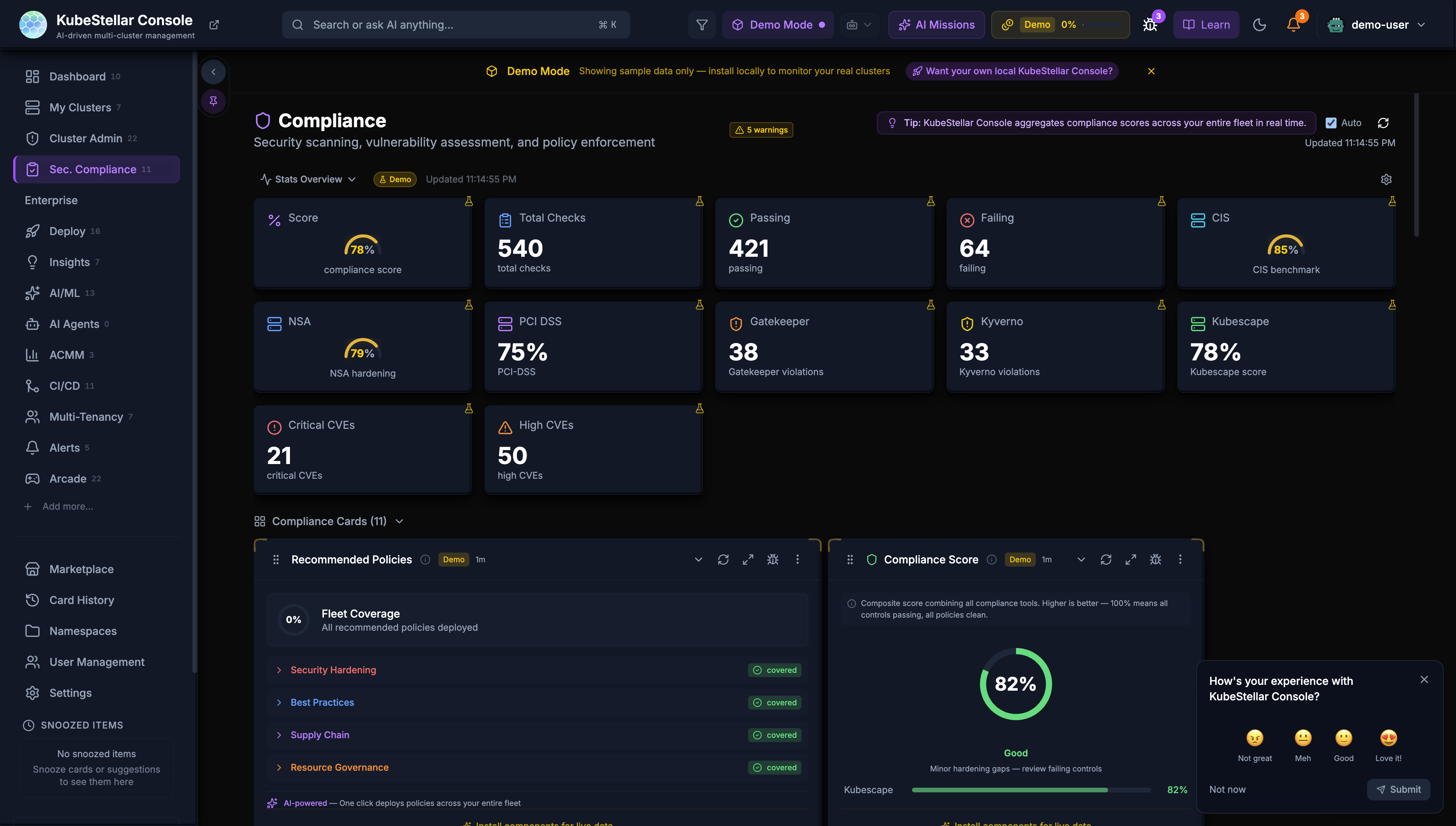
- Compliance Page Header Fixed (PR #10690) — The Compliance page now correctly shows “Compliance” instead of “Security Posture”.
- Namespace Selector in Logs & Events (PR #10846) — The namespace dropdown now correctly populates and filters log output.
- Kagenti Error Messages (PR #10847) — Agent connection failures now show actionable guidance instead of raw error strings.
- Marketplace Grid Responsiveness (PR #10730) — The marketplace card grid no longer overflows when the sidebar panel is open.
- Settings Token Save Race Condition (PR #10744, #10834) — Saving API keys or tokens no longer clobbers other settings changed in the same session.
- Feature Request Cross-Repo Routing (PR #10819) — Feature requests now correctly route to the intended target repository.
- Navbar Overflow Labels (PR #10697) — Navigation items in the overflow menu now display text labels, not just icons.
- Chat History Navigation (PR #10789) — Improved keyboard navigation through previous AI Missions messages.
Security
- Namespace API Admin Guard (PR #10839) — Namespace access endpoints are now restricted to admin-role users.
- Axios CVE-2026-42035 Patched (PR #10821) — Upgraded axios to 1.15.1+ to address a known vulnerability.
- 12 Missing Netlify API Redirects (PR #10856) — Production API routes that were returning 404 now correctly proxy to backend handlers.
Configuration
- 42+ Environment Variables Documented (PR #10881) — The
.env.examplefile now documents over 40 previously undocumented environment variables for self-hosted deployments.
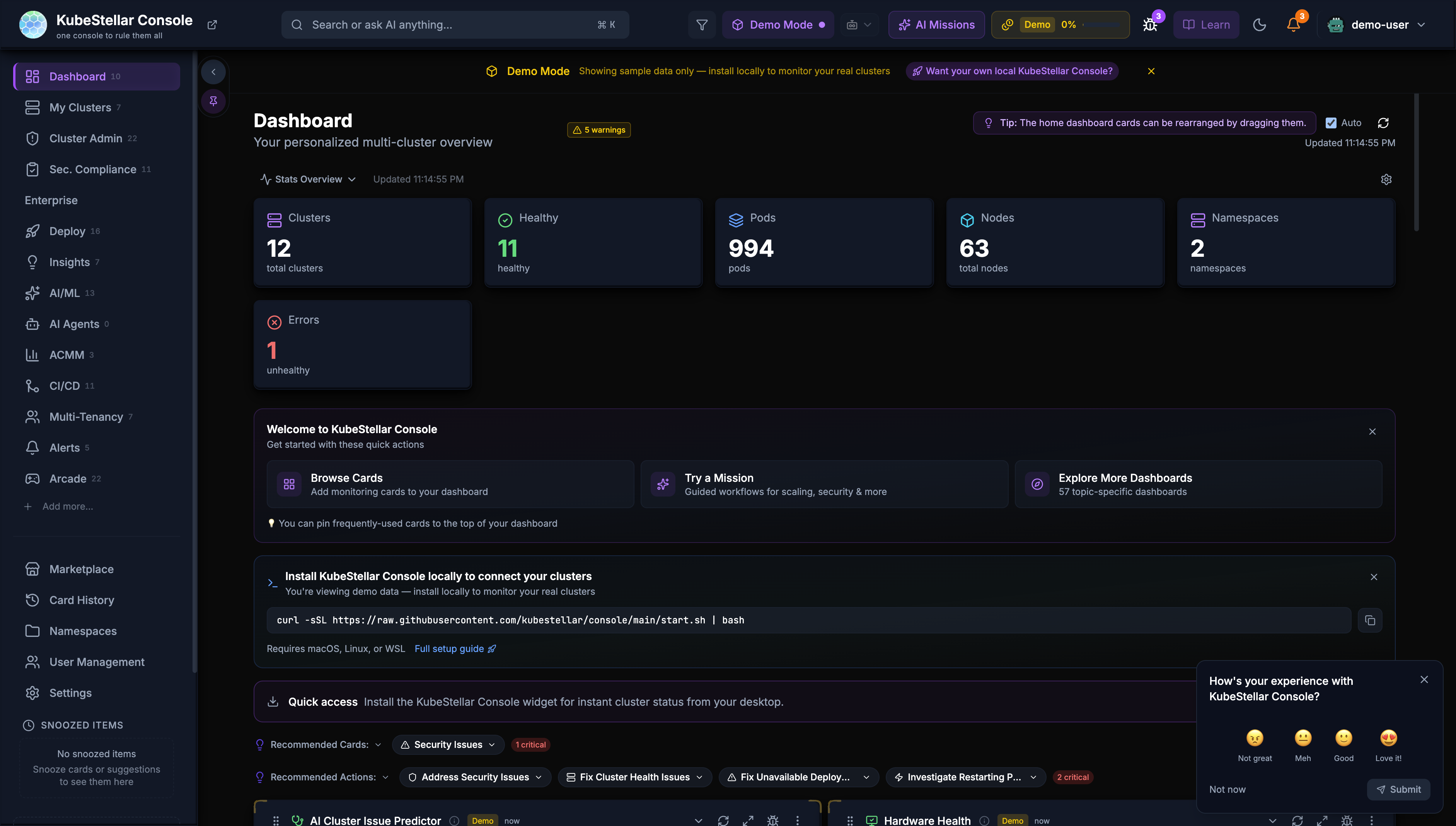
Screenshots
Release Notes
Release notes are published:
- In the console’s update notification
- On the GitHub Releases page
- In the KubeStellar blog
Rollback
If you encounter issues with a new version:
- Note your current version
- Check out the previous tag from Git
- Rebuild and restart the console
# List available versions
git tag -l

# Checkout a specific version
git checkout v0.3.5-weekly.20260120

# Rebuild
npm install && npm run build
Support
For update-related issues:
- Check the console documentation
- Search GitHub Issues
- Ask in the KubeStellar Slack