KubeStellar Console
!!! info “Console Version” Current Console Release: v0.3.18 — The console has its own release cycle, independent from KubeStellar core releases. The docs site version picker reflects KubeStellar core versions (e.g., v0.29.0), not console versions. These console docs always reflect the latest console release. See releases for the full changelog.
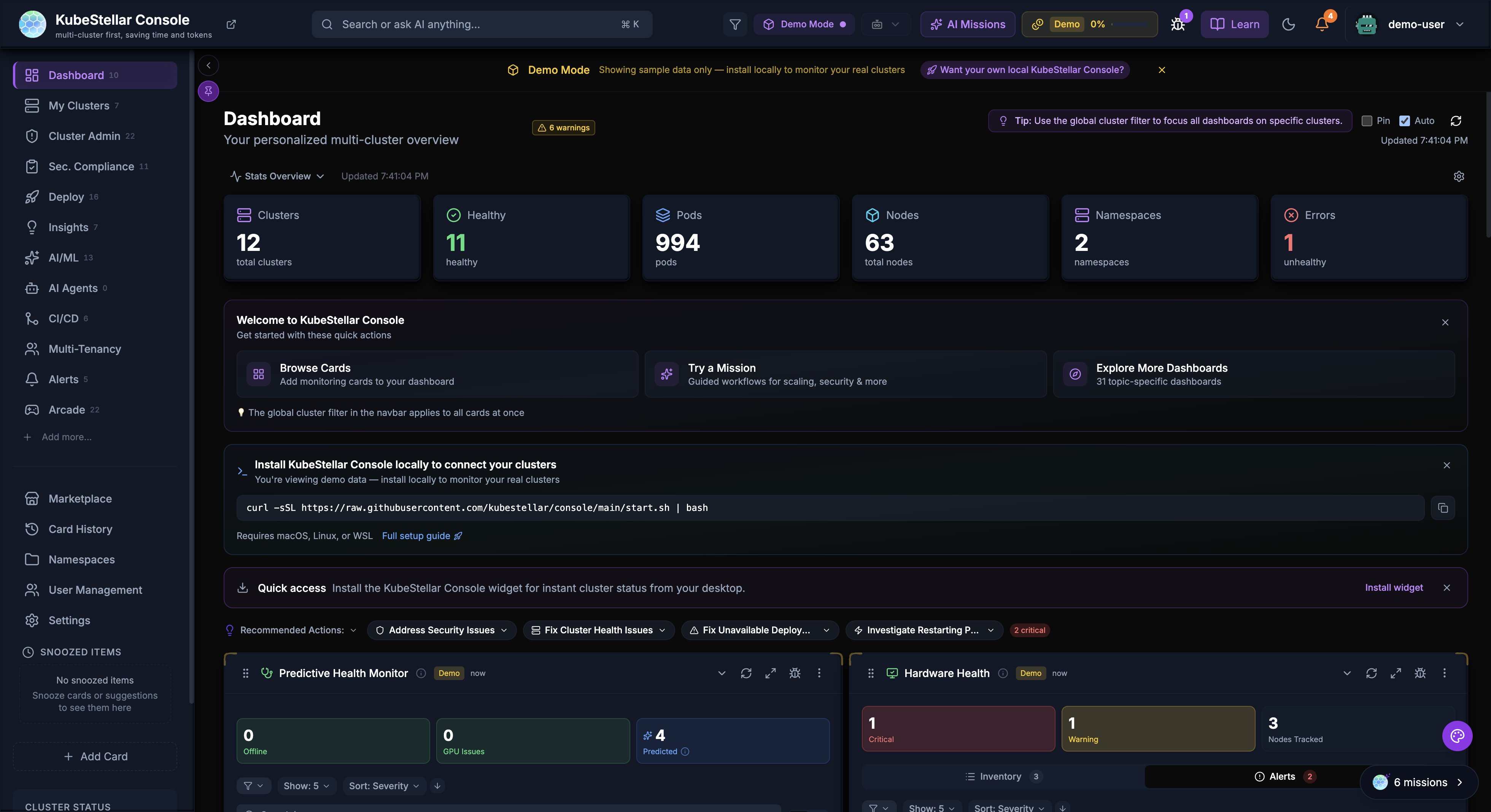
The KubeStellar Console is a modern, AI-powered multi-cluster management interface that provides real-time monitoring, intelligent insights, and a customizable dashboard experience for managing Kubernetes clusters at scale.
Key Features
Multi-Cluster Management
- Monitor and manage multiple Kubernetes clusters from a single dashboard
- Support for various cluster types: OpenShift, OKE, EKS, GKE, AKS, kind, and more
- Unified view of cluster health, resources, and workloads across all clusters
AI-Powered Insights
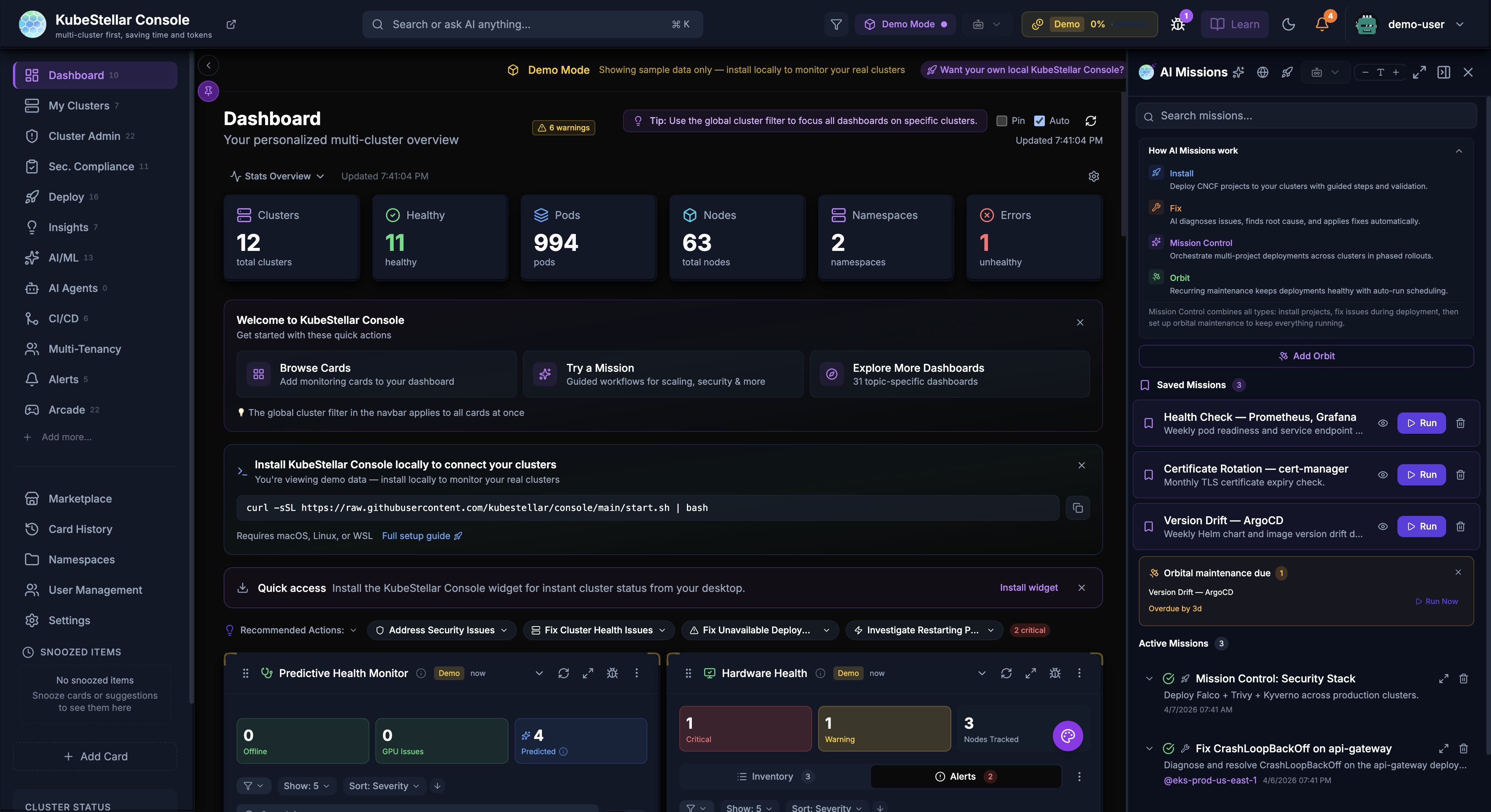
- AI missions for automated issue detection and remediation
- Orbital Maintenance for recurring health checks, cert rotation, and version drift scans
- Mission Control with Flight Plan blueprint for multi-project, multi-cluster deployments, now with visible cross-cluster dependency edges and draggable project nodes
- Kubara Catalog with tree-view resource browsing, file preview, and AI reasoning demo
- Intelligent recommendations for cluster optimization
- Natural language queries about cluster state and resources
Customizable Dashboards
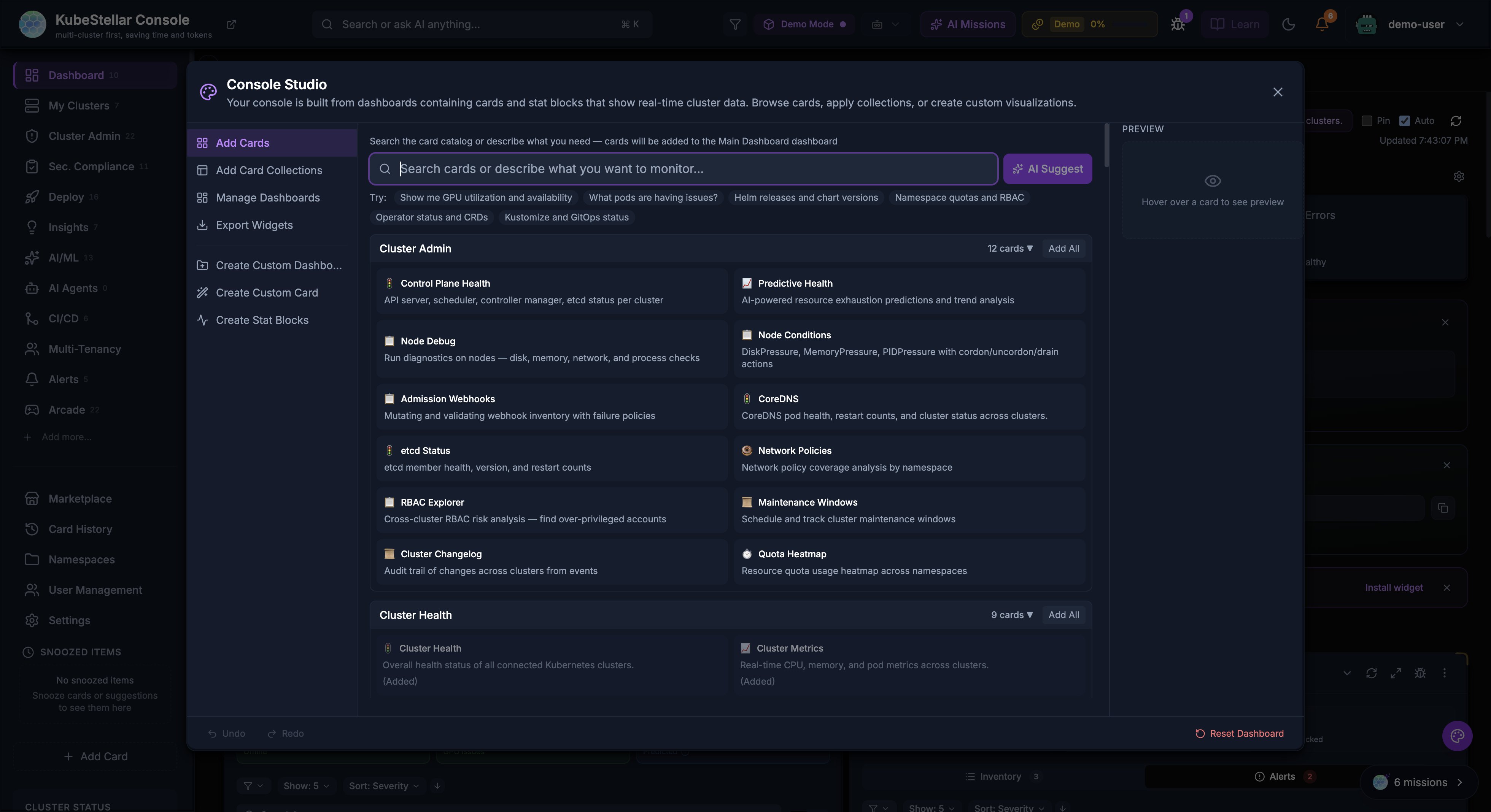
- 100+ dashboard cards for different monitoring needs
- Console Studio (Cmd/Ctrl+K) — unified customization panel with AI-powered card search, card collections, dashboard management, and widget export
- Drag-and-drop card arrangement
- Dashboard templates for quick setup
- Configurable stat blocks for at-a-glance metrics
Real-Time Monitoring
- Server-Sent Events (SSE) streaming for instant updates across all resource types
- Live cluster metrics with historical charts
- Event streaming across clusters
- GPU monitoring and utilization tracking
- Pod and deployment status tracking
- In-memory caching with TTL-based invalidation for fast response times
Getting Started
Demo Mode
The KubeStellar Console includes a demo mode that showcases all features with simulated data. To run in demo mode:
cd web
VITE_DEMO_MODE=true npm run dev -- --port 5174
Navigate to http://localhost:5174 to explore the console with demo data.
Production Setup
For production use, the console requires:
- KSC Agent: A local agent that connects to your kubeconfig
- Backend API: The KSC API server running on port 8080
See the installation guide for detailed setup instructions.
Architecture
The KubeStellar Console consists of:
- Frontend: React + TypeScript + Vite application
- KSC Agent: Go-based agent that interfaces with Kubernetes clusters
- Backend API: REST API for data aggregation and AI features
Documentation
- Quick Start - Get running in minutes
- Installation - All deployment options (curl, source, Helm, Docker, OpenShift)
- Features Guide - Detailed feature documentation
- Local Setup Guide - Complete local development setup
- Authentication - OAuth flow, sessions, and security
- Architecture - System design and component details
- Card Reference - Complete list of available cards
- Rewards System - Community engagement and rewards
- Updates - Release channels and version management
Community
Join the KubeStellar community: